
Knowledge Base
Transformations and Workflow in Pipeline Studio
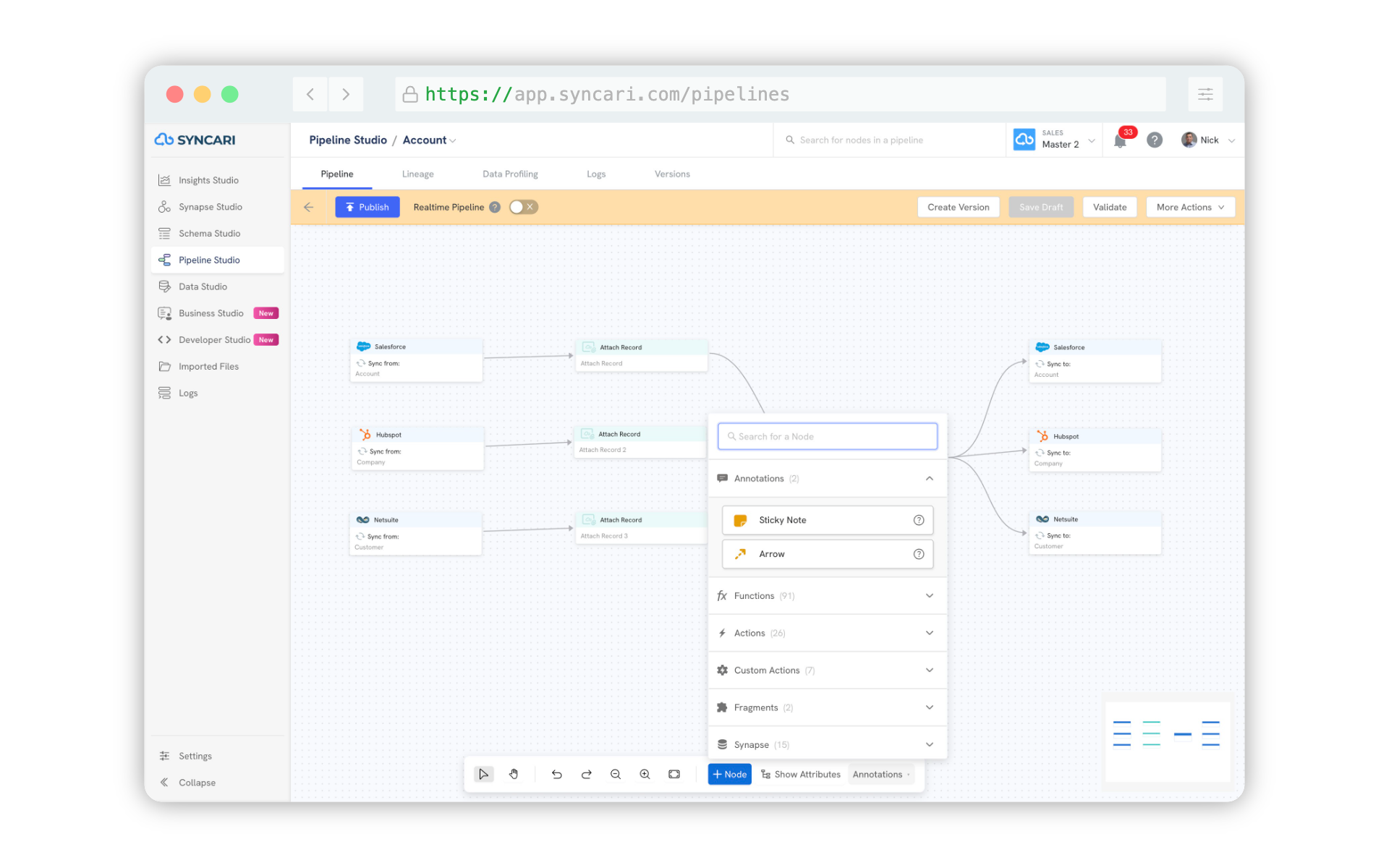
Pipeline Studio is the core environment where data movement, transformation logic, and workflow orchestration come together across Syncari's unified data model. Every pipeline follows a three-node structure: a Source node that ingests data from a connected synapse, a Syncari node that acts as the central unification and processing layer, and a Destination node that publishes the governed, unified record back out to connected systems. Within this structure, Functions and Actions are the primary mechanisms for applying transformations and workflow logic at both the entity and field level.
Transformations in Pipeline Studio
Transformations are applied through Functions and Actions attached to pipeline nodes. Functions allow you to enrich, augment, normalize, and transform data as it flows through the pipeline, either on the way into the Syncari unified data model or on the way out to a destination synapse. This means transformation logic can be applied at ingestion, at unification, or at publish time, giving teams precise control over how data is shaped at every stage of the flow.
Key transformation capabilities within pipelines
- Functions: Apply enrichment, normalization, and field-level transformation logic at the source or destination node
- Actions: Define conditional logic and operational rules that govern how records are processed and routed
- Field Pipelines: Drill down to individual field-level transformation rules within any entity pipeline
- Data authority enforcement: Set rules that determine which source system wins when conflicting values exist across connected systems
Workflow Logic in Pipeline Studio
Workflow in Pipeline Studio operates through the same pipeline structure. Each pipeline can include conditional logic, routing rules, and automated actions that execute based on the state of incoming data. Source-only pipelines allow teams to test data flows and validate transformations without writing to destination systems, enabling safe what-if scenarios before publishing. Once published, pipelines execute automatically on every detected change, running entity and field-level logic continuously to keep all connected systems in sync.
Workflow execution model
- Entity pipelines execute on the full record, applying top-level workflow and routing logic
- Field pipelines execute at the individual field level, enabling granular conditional logic per attribute
- Source pipelines run when data is received from a source synapse
- Destination pipelines run after data has been processed through the Syncari node, before writing to the destination
- Allow Deletes configuration controls whether deletions propagate from source to destination systems